In this article we will cover how to add a session organizer to each individual session, to provide additional users the ability to manage them.
View Your Sessions
Log in to the OpenWater portal and on the left side navigation, click My Sessions. You should see a list of sessions that you are responsible for overseeing.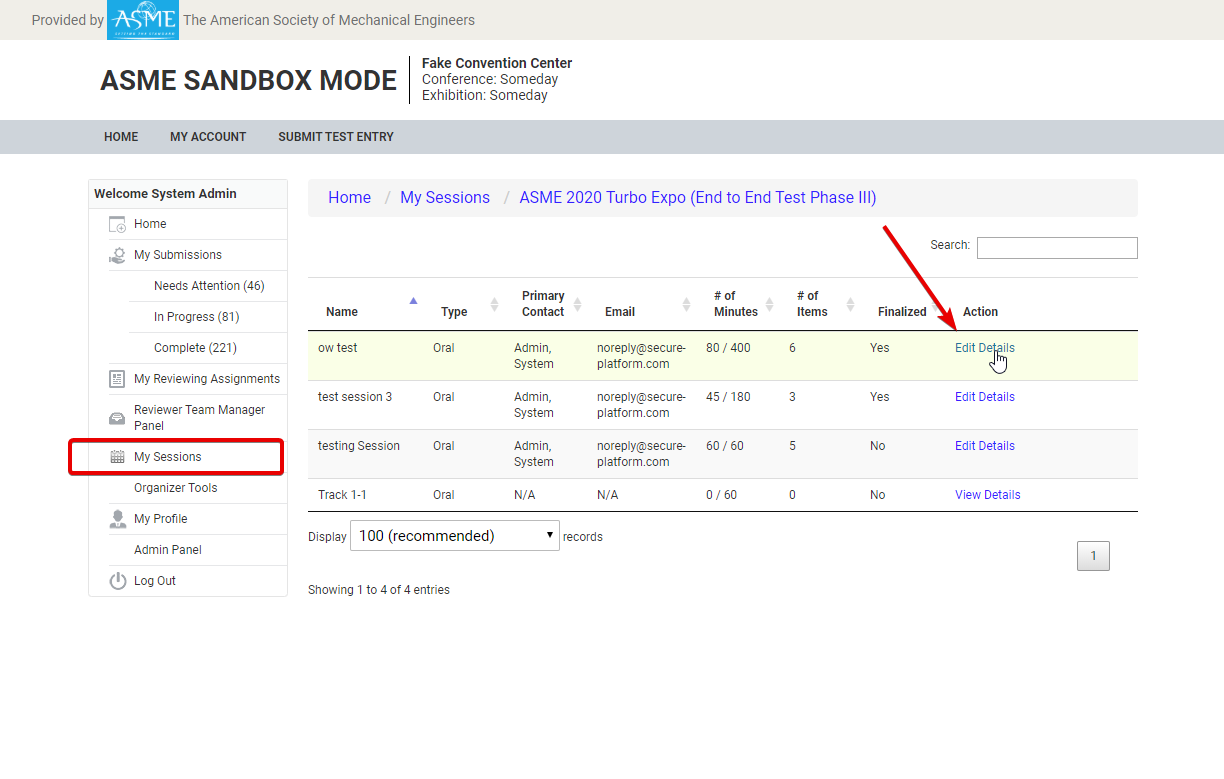
Add Session Organizer
Open the session and tab over to Session Chairs. There are two levels of Session Chair permissions: Collaborator & Read-Only. Collaborators can edit sessions and move abstracts around, while those session chairs with read only access will only be able to view the session details, but not make any changes.
Click Add Session Chair to add one.
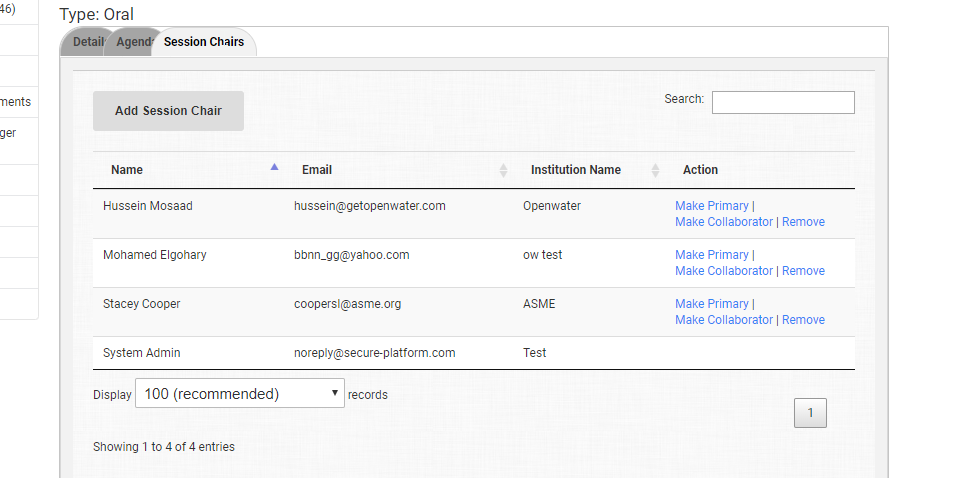
The primary session chair has the ability to manage other session chairs. You can switch this permission to someone else by clicking Make Primary.