In this article we will cover how to remove submissions that did not submit a draft paper or a revised draft paper.
Download the submission status report and filter the submissions for incomplete/not started submissions.
Go to the short abstract round and select the completed submissions view.
Using the report, select the paper numbers that did not submit a draft or revised draft.
Go to Bulk Actions > Mark as Pending Approval.

Go to Tools > Email Wizard and send the removal notice to the pending approval submissions.

Start removing the submissions from the sessions if needed. Note: It may be easier to this session-by-session rather than submission-by-submission.
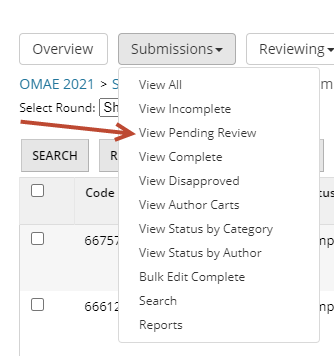
Go to Short Abstracts > Pending Review
Select all submissions and go to Bulk Actions > Mark as Disapproved.
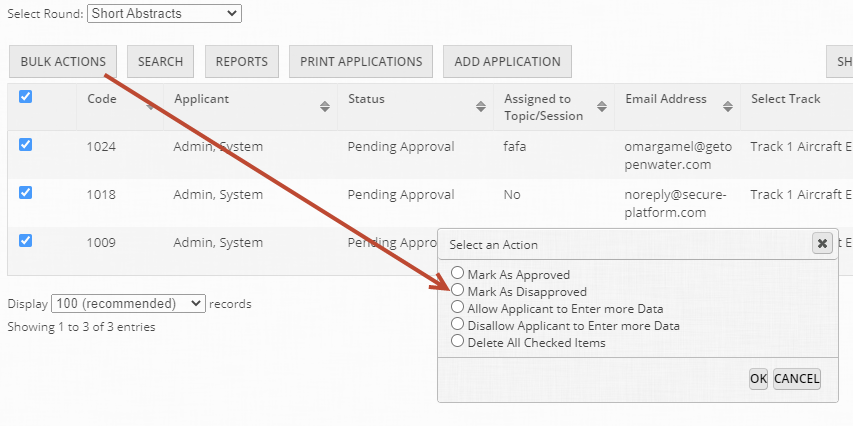
The submissions will now be marked as disapproved and will not appear in the next round or sessions.